AIRAC cycle
2610
A current navigation database, approach charts, obstacles and terrain for portable GPSMAP and aera receivers. Current AIRAC cycle, unlock code and load onto the device — all from the AeroTab client area.
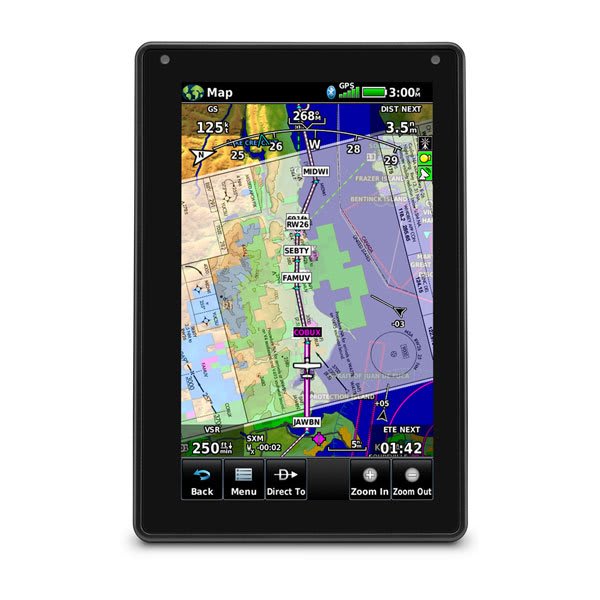 Garmin aera 760 · 7"
NAV · AIRAC 2610
Garmin aera 760 · 7"
NAV · AIRAC 2610
AeroTab supplies and services modern portable Garmin aera receivers with AIRAC-cycle database updates and coverage for Russia and neighbouring states.
7"
The flagship of the aera line — a portable Garmin aviation receiver with a bright 7-inch touchscreen, the largest in the family. Built-in Wi-Fi and Bluetooth give wireless database updates and Connext connectivity; hard-wired, it doubles as a panel navigator with autopilot coupling.
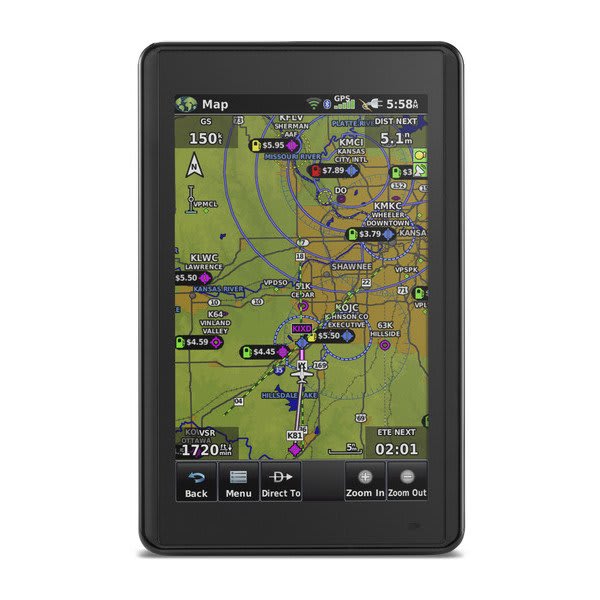 5"
5"
A compact 5-inch touchscreen Garmin aviation receiver — the lightest, most portable member of the aera line (245 g, removable battery) that fits in your palm. Wireless Connext with ADS-B traffic and weather, plus Wi-Fi database updates, in a pocket-class form factor.
A Garmin receiver holds not one database but several independent data sets. Each follows its own cycle — from the AIRAC navigation database to instrument charts and terrain.
Airports, runways, radio navigation aids, waypoints, airways, frequencies and instrument procedures in ARINC-424 format.
◷ AIRAC cycle · 28 daysMasts, towers, stacks, power lines and other man-made obstacles with heights — for terrain and obstacle proximity alerts.
◷ 56 daysA digital elevation model of the terrain for displaying high ground and terrain alerts (TAWS/HTAWS).
◷ As revisedAirport movement diagrams: runways, taxiways and aprons geo-referenced to the map — for ground orientation.
◷ 56 daysOfficial approach, departure and airport charts displayed directly on the receiver.
◷ AIRAC cycle · 28 daysTerrain underlay: coastlines, rivers, roads and settlements — the backdrop beneath the aeronautical picture.
◷ RarelyAIRAC (Aeronautical Information Regulation And Control) is the international schedule for publishing aeronautical data on a fixed 28-day interval. Each cycle introduces changes to procedures, frequencies, restricted areas and obstacles, synchronised worldwide.
Cycle 2610 is cycle 10 of 2026. A new cycle is published every 28 days; a database update returns the receiver to current data.
The process is the same for every supported portable receiver: subscription → device detection → unlock code → database load.
Choose the database type (navigation, obstacles, charts) and the AIRAC cycle. The subscription is tied to the receiver by its serial number.
Connect the receiver over USB. The serial number and model are read from the Garmin/GarminDevice.xml file on the device — no manual entry needed.
The client area issues an unlock code bound to the serial number and cycle. The code activates the database only on your receiver.
The database files and the code are written to the device. For portable receivers this is an ordinary file write to the mounted volume — the receiver applies the update at power-on.
Portable Garmin aviation receivers of the GPSMAP and aera families. Pick a model to see which databases are updated on it.
The Garmin navigation database is published by region. Top receivers hold worldwide coverage (Atlantic + Pacific regions); portable ones are regional. Below — which regions are available for each receiver.
| Receiver | USUnited States | EUREurope | PACPacific | ATLAtlantic | AMRNAmericas North | CANCanada | NZNew Zealand | Coverage |
|---|---|---|---|---|---|---|---|---|
| Garmin GPSMAP 696 | · | · | ● | ● | · | · | · | worldwide |
| Garmin GPSMAP 695 | · | · | ● | ● | · | · | · | worldwide |
| Garmin GPSMAP 496 | ● | · | ● | · | · | · | · | regional |
| Garmin GPSMAP 495 | ● | · | ● | · | · | · | · | regional |
| Garmin GPSMAP 396 | ● | ● | ● | · | · | · | · | regional |
| Garmin GPSMAP 296 | ● | ● | ● | · | · | · | · | regional |
| Garmin GPSMAP 196 | · | ● | ● | · | · | · | · | regional |
| Garmin aera 560 | · | · | ● | ● | · | · | · | worldwide |
| Garmin aera 550 | · | · | ● | ● | · | · | · | worldwide |
| Garmin aera 510 | · | · | ● | ● | · | · | · | worldwide |
| Garmin aera 500 | · | · | ● | ● | · | · | · | worldwide |
Garmin/Jeppesen regions: US — United States, EUR — Europe, PAC — Asia/Pacific, ATL — Europe/Africa/Middle East/Atlantic, AMRN — Americas North, CAN — Canada, NZ — New Zealand. Worldwide coverage = ATL + PAC combined. Data for AIRAC cycle 2610.
The national provider of aeronautical information for the Russian Federation is Aviacominfo. AeroTab runs the client area: subscriptions, receivers and generation of unlock codes for the AIRAC cycle. Experience servicing Garmin databases — since 2012.
AIRAC is the international 28-day cycle for publishing aeronautical data. Each cycle introduces changes to procedures, frequencies, restricted areas and obstacles, synchronised worldwide.
Flying on an outdated database reduces safety: revised approach charts and new obstacles will not be shown on the receiver. A current database is part of flight preparation.
Navigation database (airports, runways, radio navigation aids, airways, frequencies, procedures), obstacle database, terrain database, SafeTaxi airport diagrams, FliteCharts instrument charts and the basemap.
The exact set depends on the receiver model — it is listed on each model page.
Portable Garmin aviation receivers of the GPSMAP (196, 296, 495, 496, 695, 696) and aera (500, 510, 550, 560) families. The full list is in the “Supported receivers” section.
The unlock code activates the updated database on the receiver. It is bound to the serial number of the specific device and the AIRAC cycle — a code from one receiver will not activate another.
The code is issued in the client area after subscribing to the required cycle.
Portable GPSMAP and aera receivers connect to a computer over USB as an ordinary disk. The database files and the unlock code are written to the device — for these models it is a standard file write, without special programmers.
The receiver serial number is read automatically from the Garmin/GarminDevice.xml file on the device.
The navigation database and instrument charts are released every AIRAC cycle — every 28 days. Obstacle and SafeTaxi databases update less often (56 days); terrain and the basemap as revisions are issued. For current flight preparation, keep the navigation database on the current cycle.
AIRAC cycle subscription, unlock code and database load onto the receiver — all from one AeroTab client area.